
Pre-Listing Packet GPT Tutorial
Most agents show up to a listing appointment hoping to impress the seller. The best agents have already impressed them before they even ring the doorbell.
That's the strategic purpose behind a pre-listing packet — and it's why the Paperless Agent built a dedicated AI tool to create one in minutes. If you've been skipping this step in your listing process because it takes too long to put together, that problem is now solved. Here's a full walkthrough of how the Pre-Listing Packet GPT works, why it matters for your business, and how to use it even if you've never touched an AI tool before.
What Is a Pre-Listing Packet and Why Should You Be Sending One?
Before we get into the tool itself, let's be clear on what a pre-listing packet is and why it belongs in every listing agent's workflow.
A pre-listing packet is information you send to a prospective seller after your initial consultation but before your listing appointment. Its job is to communicate your expertise, preparation, and professionalism before you walk through the door — so you don't have to spend your entire appointment proving yourself from scratch.
Here's the problem most agents face: your listing appointment only has so much time. If you spend the first half of it reviewing market data the seller could have read in advance, you've burned the most valuable time you have — the face-to-face time you need to build trust, answer real questions, and actually earn the business. A strong pre-listing packet solves that. It sends the right information ahead of the appointment so that by the time you arrive, the seller already knows who you are, what you bring to the table, and why you're prepared. You walk in as the front-runner, not just another agent.
The other thing worth knowing: the majority of agents are not doing this. That means using a pre-listing packet consistently — and using it well — is one of the clearest ways to separate yourself from the competition before the appointment even starts.
What You Need Before You Start: The CMA
The Pre-Listing Packet GPT needs one key input to do its job: a CMA (Comparative Market Analysis) in PDF format.
You can generate your CMA from whatever tool you already use — RPR, Cloud CMA, your MLS, or any other platform. The important thing is that you export it as a PDF before uploading it to the tool. A website link won't work, because the tool can't log into external platforms to access that data. Just export the PDF the same way you normally would before any listing appointment — it's a step you're already doing anyway.
The tool reads through that CMA and extracts the market data it needs to build a personalized, professional pre-listing packet email on your behalf. You don't have to copy and paste anything. You don't have to summarize the data yourself. You just upload the PDF and let the tool do the work.
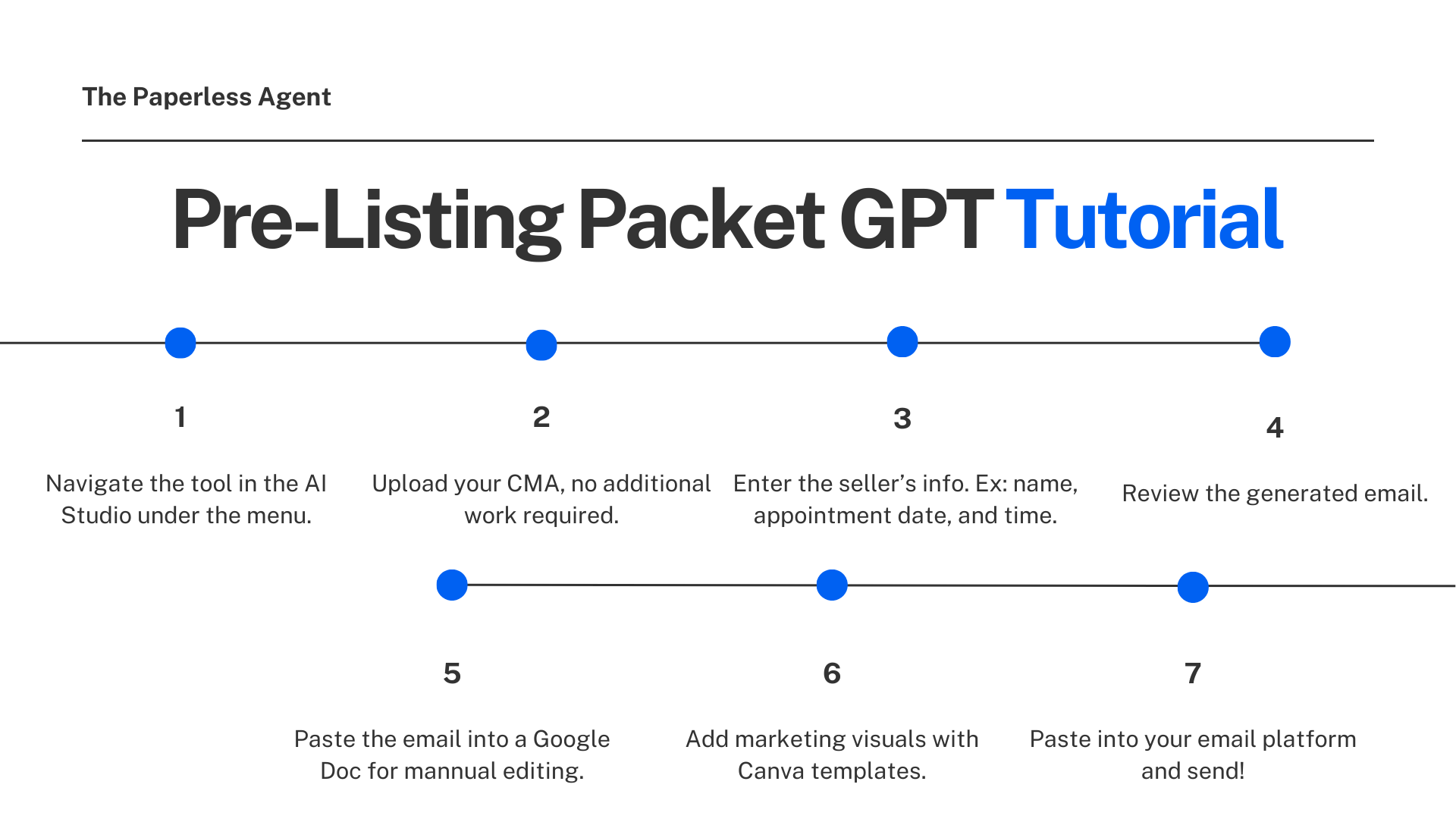
Step-by-Step: How to Use the Pre-Listing Packet GPT
Step 1: Navigate to the Tool in the AI Studio
Log into your Paperless Agent dashboard and select AI Studio. From there, scroll down the navigation menu and select the Pre-Listing Packet tool. It's clearly labeled and easy to find.
Step 2: Upload Your CMA
Drag and drop your CMA PDF directly into the file upload area, or click the paperclip icon to browse and select it. No additional formatting or preparation required.
Step 3: Enter the Seller's Information
The tool will ask for three pieces of information:
- The seller's name (for example: Kyle and Olivia)
- The appointment date (for example: Friday)
- The appointment time (for example: 7:00 PM)
That's the entire setup. Hit Submit and the tool takes it from there.
Step 4: Review the Generated Email
The tool reads through your CMA and produces a complete, structured pre-listing packet email. It covers three core sections specifically designed to build trust, signal preparation, and set you apart from other agents the seller may be considering.
Section 1 — Pricing Snapshot: This section pulls market data directly from your CMA and presents it at the neighborhood level — not national averages, not generic statistics. It covers current market speed, buyer leverage, supply levels, and how homes are selling relative to asking price in that specific zip code. Critically, it does not include a specific price estimate for the home. That's intentional. You can't accurately price a home until you've assessed its condition, and committing to a number before the appointment can create problems before you've had a chance to build your value.
Section 2 — Marketing Plan: This section highlights the key features of the seller's specific home (pulled from the CMA data) and outlines the marketing activities you'll use to sell it. It's tailored to their property and their market — not a boilerplate list that could apply to anyone. This signals to the seller that you've done the research, you know their home, and you're already thinking about how to bring it to market effectively.
Section 3 — Marketing Proposal: This is the section that separates agents who use the Paperless Agent system from everyone else. It introduces your marketing proposal — what most agents call the listing presentation — before the appointment. When sellers review this in advance, they arrive at the appointment already engaged, already thinking about the right questions, and already comparing your level of preparation to what other agents have (or haven't) sent them.
Step 5: Copy and Paste Into a Google Doc for Final Polish
Once the email is generated, click the copy icon at the bottom of the screen. Do not paste directly into Gmail or your email client — the content is formatted in markdown, and it won't display correctly if you paste it straight into email.
Instead, open a Google Doc, right-click, and select Paste from Markdown. This applies the formatting cleanly so the email looks polished and professional. From here, make any final tweaks — adjust font size on tables, add borders, update your signature — before copying the finished version into your email platform.
Step 6: Add Sample Marketing Visuals
Inside the Pre-Listing Packet tool, there's a Canva template link at the top of the page. Click it, open the template, and swap in photos of the seller's home (you can pull these from any public listing source or photos you already have). This creates a visual preview of what your marketing will look like — website mockups, social media ads, flyers, and more.
You're not creating the actual marketing materials yet. You're showing the seller what's coming — giving them a visual signal of the level of work and professionalism they can expect when they hire you. Take a screenshot of the Canva graphic and paste it into your Google Doc before finalizing the email.
Step 7: Send
Copy your finished email from the Google Doc, paste it into Gmail or your email platform of choice, drop in the subject line from the tool's output, and send.
That's the complete workflow. From CMA upload to sent email, the process takes under 15 minutes once you've done it a couple of times.
Why This System Works: The Strategy Behind the Pre-Listing Packet
The pre-listing packet is not just a nice professional touch. It's a trust-building tool that works on multiple levels — and understanding why it works will help you use it more effectively.
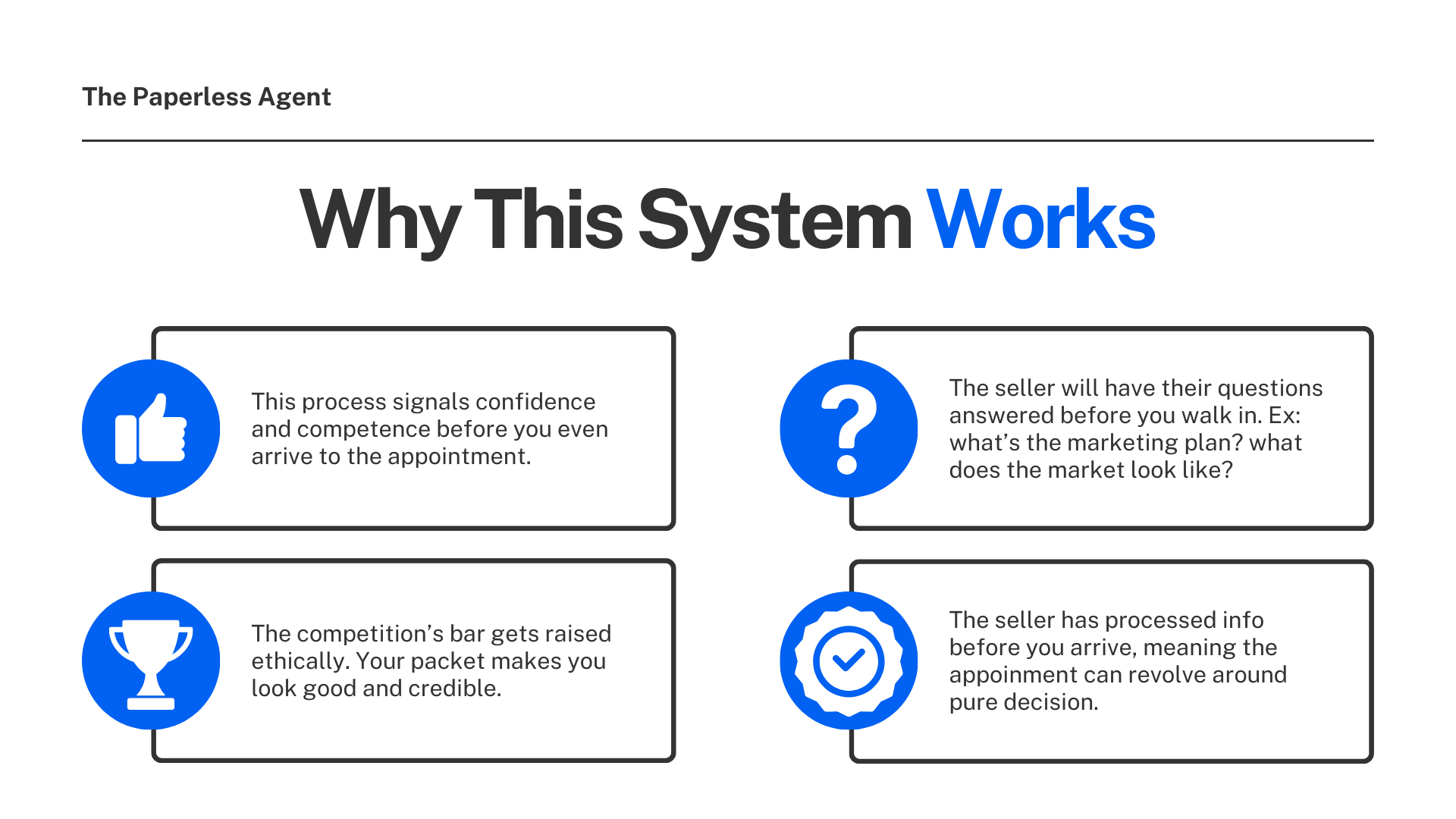
It signals your competence before you arrive. When a seller receives a well-researched, professionally formatted email with real data about their specific market, they form an impression immediately. You prepared. You did the work. You took their listing seriously before you were even being paid to. Most of the agents they'll talk to haven't sent them anything yet.
It answers the questions sellers are already asking. Every seller walks into a listing appointment with the same concerns: What are you going to do to market my home? How does the market look right now? Are you prepared? The pre-listing packet addresses all of these before you sit down together, so your appointment can focus on strategy and relationship rather than introductions.
It ethically raises the bar on your competition. Once a seller has received your pre-listing packet, they have a standard. When they meet with another agent who shows up without one — or who simply isn't as prepared — the contrast is immediate. Your packet doesn't just make you look good. It makes it harder for the competition to look credible by comparison.
It compresses your timeline to a signed agreement. Agents who use pre-listing packets consistently find they need fewer appointments to close listings. The seller has processed the information before you arrive, which means the appointment can focus on the final decision rather than the beginning of the relationship.
Timing: When to Send the Pre-Listing Packet
Send the pre-listing packet within 10 minutes of your initial consultation call. During that call, let the seller know you're going to send them an email to review before the appointment.
The timing matters. You want the seller to have enough time to read through your materials, click on the links, and let it sink in — especially if they're meeting with other agents in the same window. The goal is to be the first thing in their inbox, and to already be shaping how they evaluate everyone else they talk to.
Part of a Bigger System: The AI Studio
The Pre-Listing Packet GPT is one tool inside a larger AI Studio built specifically for residential real estate agents. The same platform includes tools for writing and publishing hyperlocal blog posts, creating newsletters, generating market reports, developing social media content, building buyer guides, and getting AI-powered coaching on your listing and buyer consultations.
The studio is not designed to give you one more thing to figure out. It's designed to give you a system — a reliable, repeatable workflow — so the preparation and marketing work that builds your business actually gets done consistently, without requiring hours of manual effort before every appointment.
Getting Started: What to Do Before Your Next Listing Appointment
If you're not currently sending a pre-listing packet, here's how to start with your very next listing appointment:
- Run your CMA as you normally would, then export it as a PDF.
- Log into the AI Studio and open the Pre-Listing Packet tool. Upload your PDF, enter the seller's name, appointment date, and time, and hit Submit.
- Review the generated email. Read through it. Make sure it accurately reflects the market and sounds like you.
- Add the Canva sample marketing visual. Swap in the home's photos and screenshot the graphic.
- Send within 10 minutes of your initial consultation call.
That's the system. It takes a little longer the first time you work through it. After that, it becomes one of the fastest, highest-leverage steps in your listing process.
Frequently Asked Questions (FAQ)
Q: What is a CMA and where do I get one? A CMA (Comparative Market Analysis) is a report showing current market conditions, recent comparable sales, active listings, and pricing trends in a specific area. You can generate one through your MLS, RPR (Realtors Property Resource), Cloud CMA, or similar tools. Any of these work — just export it as a PDF before uploading it to the Pre-Listing Packet tool.
Q: Why does the CMA need to be a PDF? Can't I just paste in a link? The tool can't access external platforms that require a login — which is what most MLS and CMA systems require. Exporting to PDF is a simple step you're already taking as part of your listing prep. It's no extra work.
Q: Will the email give the seller a specific price for their home? No, and that's by design. The tool presents market data and pricing context without committing to a specific number before you've seen the home. You can't accurately price a property until you've assessed its condition — and putting a number in front of the seller too early can create unrealistic expectations before you've had a chance to build your value. The specific pricing conversation happens during the appointment itself.
Q: I'm not a tech person. Is this tool hard to use? If you can fill out three text fields and upload a file, you can use this tool. There's no coding, no prompting expertise required, and no complex setup. The tool handles everything behind the scenes.
Q: What if I want to change the marketing activities listed in the email? The marketing plan section is easy to customize. Once you paste the email into a Google Doc, update any section to better reflect what you actually do for your listings. The tool gives you a strong, fully structured starting point — you just tailor the details to match your practice.
Q: How is this different from just asking ChatGPT to write me a pre-listing email? This tool has been built around the Paperless Agent's specific pre-listing packet format — a system designed to win listings. A generic ChatGPT prompt will give you a serviceable email, but it won't follow the three-section structure, it won't know to avoid committing to a price, and it won't draw from your actual CMA data to personalize the content. The output here is strategic, not generic.
Q: Should I use this for every listing appointment? Yes — and the more consistently you use it, the more natural it becomes. Over time, sending a pre-listing packet stops being a task and becomes part of how you operate as a listing agent. That's exactly where you want it.
Q: When is the best time to send the pre-listing packet? Within 10 minutes of your initial consultation phone call. During that call, let the seller know to expect an email from you to review before the appointment. Give them enough time to read through it before they sit down with you — or with anyone else.
Q: What other tools are available in the AI Studio? The studio includes tools for writing hyperlocal blog posts, creating newsletters, generating market reports, building social media content, creating buyer guides, and getting AI-powered coaching on listing and buyer consultations — all built specifically for residential real estate agents.
Q: What if my seller doesn't read the pre-listing packet before the appointment? That happens sometimes. But even when sellers only skim it, the impression it makes still matters. Receiving a detailed, personalized, professionally formatted email signals your level of preparation and expertise. One Paperless Agent member showed up to a listing appointment to find part of the pre-listing packet printed out and sitting on the seller's dining room table. Whether they read every word or only open it, you've already said something important about how you work.
Ready to start using the Pre-Listing Packet GPT for your next listing appointment? Join the Marketing Club for full access to the AI Studio and all of its tools.