

ChatGPT is good. Most agents know that. It's the tool everyone talks about, the first AI most of us ever tried, and for quick tasks it gets the job done well enough.
But here's what's becoming clear after extensive side-by-side testing: for the specific work that matters most in real estate, such as listing appointments, client communications, and staying top of mind with your sphere, Claude AI isn't just slightly better than ChatGPT. In these three areas, it's not even close.
In this post I'm walking through three real workflows where Claude consistently outperforms ChatGPT, with live examples and the exact prompts used to produce them. If you've been using ChatGPT as your default AI tool, this is worth your full attention.
What Is Claude AI? And Why Are Agents Switching?
Before getting into the specific use cases, a quick orientation for agents who haven't tried Claude yet.
Claude is an AI assistant made by Anthropic, it’s the same kind of conversational AI as ChatGPT, but built with a different set of priorities. You can have conversations with it, ask questions, upload documents, write content, and work through complex tasks, all from a clean, straightforward interface.
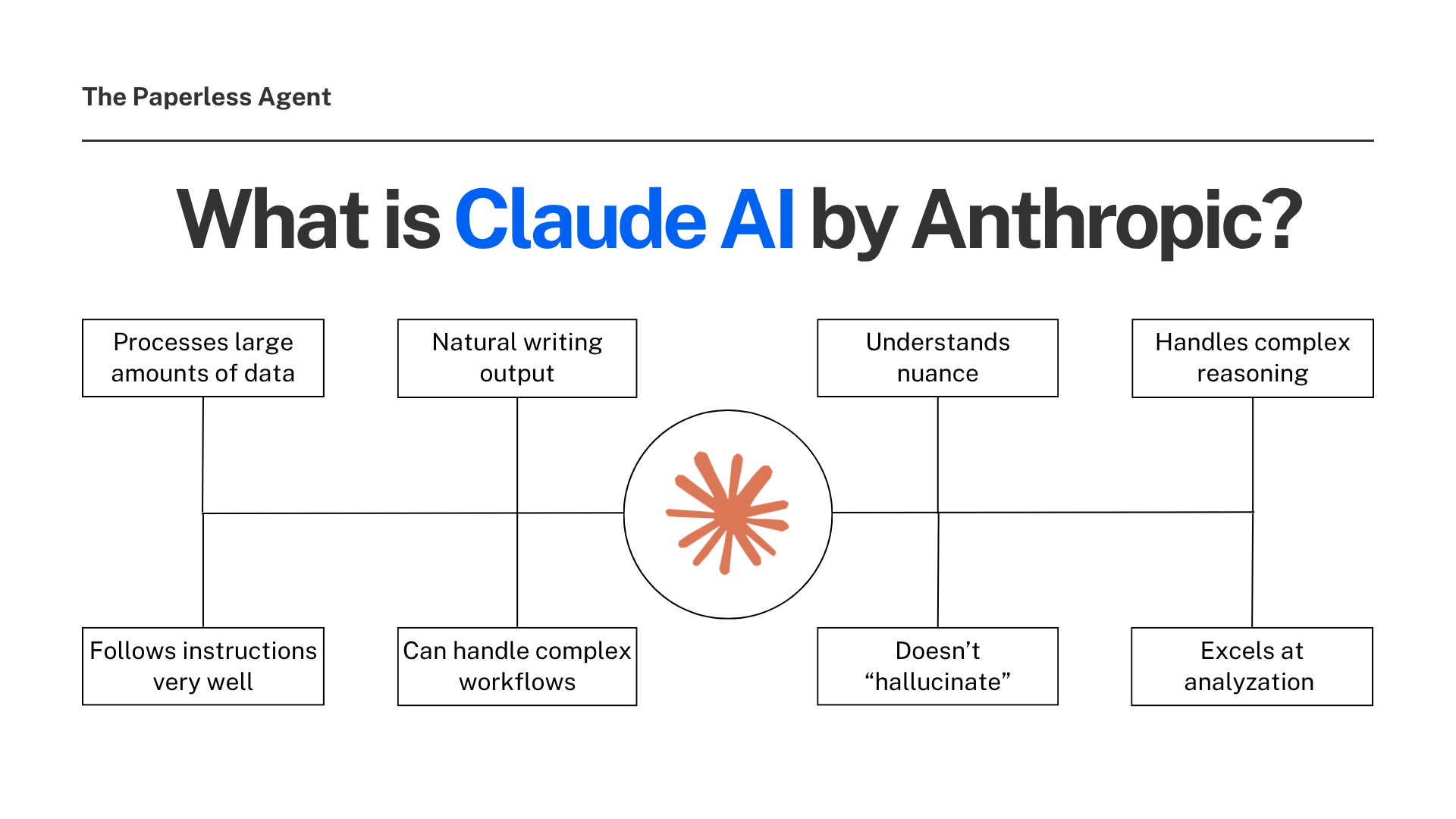
The key differences for real estate use are larger context windows (it can process more data at once), better instruction following for complex workflows, and more natural writing output.
Getting started is simple. The free version is available at claude.ai and it takes about two minutes to sign up. No technical background required.
Claude is the best AI model for real estate content right now. It writes in a natural, human voice, understands nuance, and doesn't hallucinate facts the way some other models do.
Now let's get into the three workflows where the difference becomes immediately obvious.
Use Case #1: Turn a 24-Page CMA Into a Client-Ready PowerPoint Presentation
The Problem With How Most Agents Use CMAs
You pull a CMA, it comes back 20 or 30 pages long, packed with data. You know the information is valuable. But handing a seller a 24-page PDF and walking through every page isn't how listing appointments are won.
The key is using AI as an assistant, not as a decision-maker. AI can detect pricing shifts, days-on-market patterns, and seasonal changes that might affect your client's listing price — and then draft a plain-language explanation of how you arrived at your suggested price range, making it easier for clients to understand.
Claude takes that a significant step further.
What Claude Does
Upload your CMA directly into Claude, and then drag and drop it right into the chat. Then use this prompt:
"I'm a real estate agent. I have a listing appointment with a seller. Create a PowerPoint of the information in this CMA I can use to discuss pricing strategies with my prospective seller client."
That's it. Fire it off.
What comes back is a complete, downloadable PowerPoint file — not a summary, not an outline, but an actual .pptx file you can open directly in PowerPoint and edit. A 24-page CMA becomes a clean 10-slide presentation, with every piece of data pulled directly from your report. Nothing invented. Nothing fabricated.
Here's what the presentation includes:
- What the data says about value — the headline pricing story told clearly
- Comparable sales — the properties from your CMA formatted for easy client review
- Market snapshot — current conditions in the subject property's zip code
- What buyers are seeing right now — context for how active buyers will evaluate this home
- Three pricing scenarios — conservative, market rate, and aspirational
- Assessed value trend — historical context for the pricing conversation
- Net proceeds at various price points — the numbers that matter most to sellers
- Next steps — a clear close for the conversation
Open it in PowerPoint, make any edits you want, and you're ready for your appointment. Claude can be used natively in PowerPoint with Office add-ins, and can produce comparative market analysis narratives, pricing strategy recommendations, and market trend summaries from MLS data.
Why This Wins Listing Appointments
The seller sitting across from you doesn't want to read a 24-page document. They want to understand their options and make a confident decision. A clean, visual, data-driven presentation says something about your professionalism before you say a single word.
Before a listing appointment, you can paste your CMA summary into Claude and ask it to prepare a clear explanation for the seller, and by the time you arrive, you'll already have a structured explanation prepared, allowing the conversation to remain confident, professional, and data-driven.
This use case alone is worth trying Claude for. But it's just the beginning.

Use Case #2: Write a Market Update Blog Post Optimized for Google, ChatGPT, and AI Search
Why Most Market Updates Don't Do Anything
Most agents who write market updates write them as general summaries with a few stats, a quick take, and a send. They get opened once and forgotten. They don't drive traffic. They don't generate leads. And they certainly don't show up in AI search.
There's a better approach. And Claude makes it accessible to every agent, regardless of whether they have any writing or SEO background.
What Claude Does
Use this prompt and customize it for your neighborhood or market:
"I'm a real estate agent. Write a blog post about a real estate market update for [neighborhood name] in [city, state]. The content should use SEO, AEO, and GEO best practices, research current market trends, and include recent data. The post should include an interpretation of what the data means for current owners, buyers, and sellers."
What comes back isn't just a blog post. It's a fully structured, HTML-formatted article that’s ready to paste directly into your website. It's built specifically to be found by Google, ChatGPT, Gemini, Perplexity, and Google's AI Overviews.
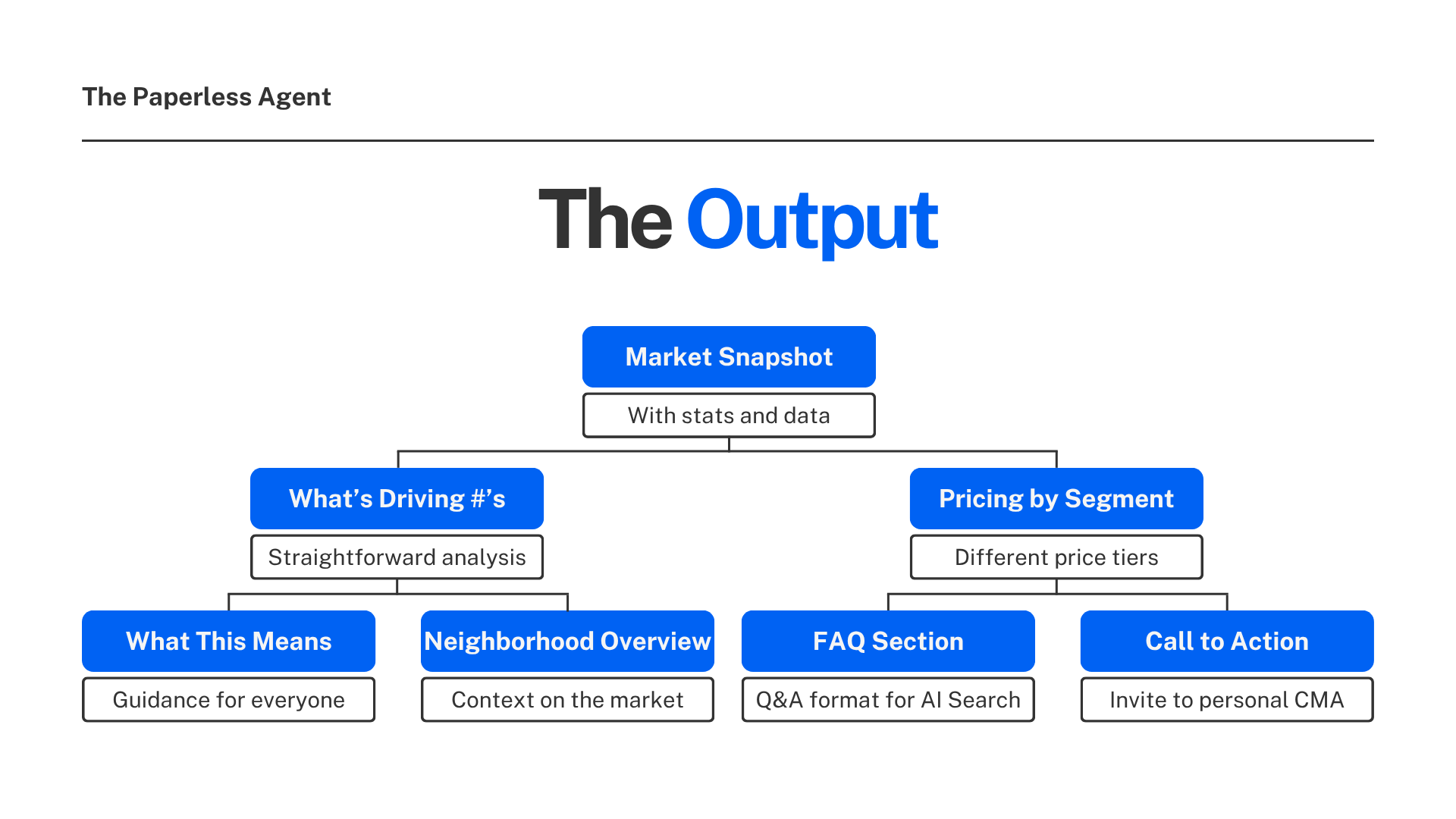
What the Output Includes
- Current market snapshot with stats and data points
- What's driving the numbers — analysis in plain language
- Pricing by segment — different price tiers within the neighborhood
- What this means for owners, buyers, and sellers — separate sections with specific guidance for each audience
- Neighborhood overview — context on why the market makes sense long term
- FAQ section — question-and-answer format specifically designed for AI search
- Call to action — an invitation to request a personalized CMA
The format isn't just readable, it's structured for maximum discoverability. The FAQ section is particularly important. AI tools are specifically designed to find and surface questions and answers, which means FAQ content at the bottom of a market update post is directly feeding the AI search results your potential clients will see.
Why SEO, AEO, and GEO All Matter Here
SEO (Search Engine Optimization) gets you found on Google. AEO (Answer Engine Optimization) gets you cited by AI tools when someone asks a question your content answers. GEO (Generative Engine Optimization) shapes how AI tools describe you and your market expertise when forming recommendations.
A market update written with all three in mind does triple duty: it ranks on Google, gets cited by ChatGPT and Gemini, and positions you as the authoritative voice on your neighborhood — the expert AI tools point to when someone asks about real estate in your market.
You can take monthly market data, paste it into Claude, and prompt it to write a market summary in plain English for home buyers in your target neighborhood. In two minutes you have a draft that would have taken 30 minutes to write manually, and it's personalized to your farm area. Once you have your market update written, Claude can help you turn it into a full week of posts: an Instagram caption, a LinkedIn post, a short email to your list, a script for a 60-second Reel, and a Pinterest description, all from the same source material.
Use Case #3: Write a Personal Newsletter That Actually Sounds Like You
Why Most Agent Newsletters Fail
Here's the truth about most real estate newsletters: people don't open them because they're not interesting. “Seven tips to get your home ready for sale”, “Interest rate updates”, and “Market snapshots”. All useful information, but not the kind of thing that makes your clients feel connected to you as a person.
The newsletters that get opened, read, and responded to are personal ones. They share something real about your life, bridge naturally to a real estate insight, and remind clients why they like working with you in the first place.
The challenge is that writing that kind of newsletter takes time, creative energy, and a willingness to share authentically. Claude makes all three of those easier.
What Claude Does
The newsletter prompt is built around three sections: a personal story, a recent client experience, and a local market update. But instead of asking you to write, it asks you questions *one at a time* and then synthesizes your answers into a finished newsletter.
The key tip: use your phone's voice dictation feature to answer the questions out loud, in a stream-of-consciousness response. Don't overthink it. Just talk. The AI captures your natural language, your specific details, and your actual voice — and turns it into something polished.
Here's how a real example played out:
Claude asked: "What's something you've been into lately outside of real estate?"
The response — given by voice — talked about spring fishing with a youngest son, the way the lakes and rivers are fuller with the seasonal rain, the patience fishing requires, and a funny moment where the same catfish got caught twice in one session.
What Claude produced from that unscripted, conversational answer:
"With all the rain we've had lately, the lakes and rivers around here are fuller than ever, and that means it's prime time to fish. So that's exactly what my youngest son and I have been doing — heading out wherever and whenever we can, chasing bass, pulling in the occasional catfish. And yeah, sometimes we come home empty-handed. But honestly, that's not really the point. Life feels busier lately. And there's something about standing at the water's edge with your kid, waiting for the line to go taut, that forces you to be patient — to just be there."
That paragraph didn't require any editing. It sounds authentic because it is authentic, and it came from a real story told in a real voice, and Claude structured it without losing what made it human.
What Claude Does With the Finished Newsletter
Once the three sections are complete, Claude goes one step further: it asks for your brand color and contact information, then formats the entire newsletter as a branded HTML email, complete with graphic treatments for the market stats, your contact info, and a clean visual layout, ready to paste directly into Gmail or whatever tool you use to send.
This is where Claude's approach to final polish sets it apart. It doesn't just produce the content. It finishes the job.
Why Claude Keeps Winning in Real Estate
After testing these workflows extensively, a clear pattern emerges.
Claude is a better writer. It's more natural, more conversational, more precise. Every article written with Claude's help sounds like the agent, not generated by Claude, but written with Claude. The agent's voice is the key part.
Claude handles context better. With a context window that supports up to 200,000 tokens, you can feed Claude an entire MLS database query, a tax record lookup, and a client's history, all in one session. Also, it retains and processes all of it without losing the thread.
Finally, Claude delivers finished outputs, not just drafts. Whether that's a downloadable PowerPoint, an HTML-formatted blog post, or a branded email template, Claude consistently goes the extra step to make the output immediately usable.
The single biggest time-saver for most agents is starting every Claude session with their context already loaded — best listing descriptions, brokerage brand guidelines, recent market reports, or CMA templates uploaded to the knowledge base so Claude always has that context available.
That's the difference between a tool that saves you a few minutes and a tool you build your workflow around.
.png)
How to Get Started
Everything in this post is available on the free version of Claude at claude.ai. No technical skills required. No credit card needed to start.
The practical starting point: pick one of the three workflows above, whichever feels most immediately useful, and run it this week. Use the prompts provided. See what Claude produces. Then compare it to what ChatGPT would have given you for the same task.
That comparison will tell you everything.
Frequently Asked Questions
Q: Do I need technical skills to use Claude for these workflows? No. If you can copy and paste a prompt and upload a PDF, you can run all three of the workflows in this post. Claude is designed to be conversational — you interact with it the way you'd interact with a knowledgeable assistant, not the way you'd program software.
Q: Is Claude really better than ChatGPT for real estate, or is this just a preference? For these three specific use cases — CMA presentations, market update blog posts, and personal newsletters — Claude consistently produces better, more usable outputs with less editing required. ChatGPT retains advantages in image generation, plugin integrations, and Microsoft Office compatibility. For client-facing writing and document processing, Claude wins.
Q: Can Claude really turn a CMA into a PowerPoint I can use at a listing appointment? Yes — and it's one of the most immediately impressive demonstrations of what Claude can do. Upload your CMA PDF, run the prompt included in this post, and Claude produces a downloadable .pptx file you can open and edit directly in PowerPoint. The presentation pulls only from your actual CMA data — it doesn't invent or fabricate information.
Q: What does SEO, AEO, and GEO mean in the market update prompt — and why does it matter? SEO (Search Engine Optimization) helps your post rank on Google. AEO (Answer Engine Optimization) structures your content so AI tools like ChatGPT cite it when answering related questions. GEO (Generative Engine Optimization) shapes how AI describes you as a market expert. Including all three in your market update prompt produces content that works across both traditional search and AI search simultaneously.
Q: Do I have to use voice dictation for the newsletter prompt to work? No — you can type your answers. But voice dictation is strongly recommended because it captures your natural language and storytelling instincts in a way that typing rarely does. The newsletter works best when Claude has something real and specific to work with, and talking out loud tends to produce richer, more personal material than typing does.
Q: Can I use my own brand colors and contact info in the HTML email output? Yes. Once Claude generates the newsletter content, it will ask for your primary brand color and contact information, then format the full email as a branded HTML template with those details integrated. The output is ready to paste into Gmail, Mailchimp, Constant Contact, or any other email tool you use.
Q: How does Claude's newsletter output compare to a professional email designer? It's not a replacement for a full design system, but for a personal newsletter sent to your sphere, the HTML output Claude produces is clean, readable, and professional. The goal of a personal newsletter isn't to look like a corporate marketing campaign — it's to feel like it came from a real person. Claude's output strikes that balance well.
Q: Is the free version of Claude enough for these workflows, or do I need Claude Pro? The free version handles all three workflows in this post. Claude Pro ($20/month) provides higher usage limits and access to more powerful models — worth considering if you're using Claude daily across multiple tasks. For agents just starting out, the free version is a completely viable starting point.