

Right now, someone in your market is opening ChatGPT and typing your name. They are asking one simple question: "Should I hire this person to sell my home?"
ChatGPT is giving them an answer. Confidently. Whether the information is accurate or outdated or completely wrong, it is answering.
We ran this test live with a room full of real estate agents. Some got strong, accurate recommendations pulled directly from their reviews and websites. Others got nothing at all. Same test. Very different results.
In the next few minutes, you are going to find out exactly where you stand and learn the four-step system for making sure ChatGPT says the right things about you when a seller comes looking.
Why This Matters More Than Most Agents Realize
Before getting to the test, it is worth understanding what has changed.
Not long ago, someone looking for a real estate agent would run a Google search, scan a list of links, and click through to a few websites to form their own opinion. Google is changing that model. AI Overviews now appear in roughly 50% of all searches, used by more than 2 billion people monthly.
And a growing number of buyers and sellers skip Google entirely. They open ChatGPT, Perplexity, or Google's AI overview and ask directly: "Who is the best real estate agent in Austin?" or "Should I hire [agent name] to sell my home?"
The AI answers directly. It names names. It describes credentials. It makes recommendations, all before the person ever visits a website.
Zillow launched the first real estate app inside ChatGPT in October 2025, letting users query listings, financing, and housing insights via conversational AI which signals clearly that the major players in this industry have already accepted that ChatGPT is a real estate discovery channel.
The agents getting leads from this channel are not doing anything magic. They made it easy for AI to find them and gave it the information it needed to make a solid recommendation. That is something every agent can build.
The 60-Second Test: How to See What ChatGPT Says About You
Here is the test. It takes about 60 seconds and there is one critical step you cannot skip.
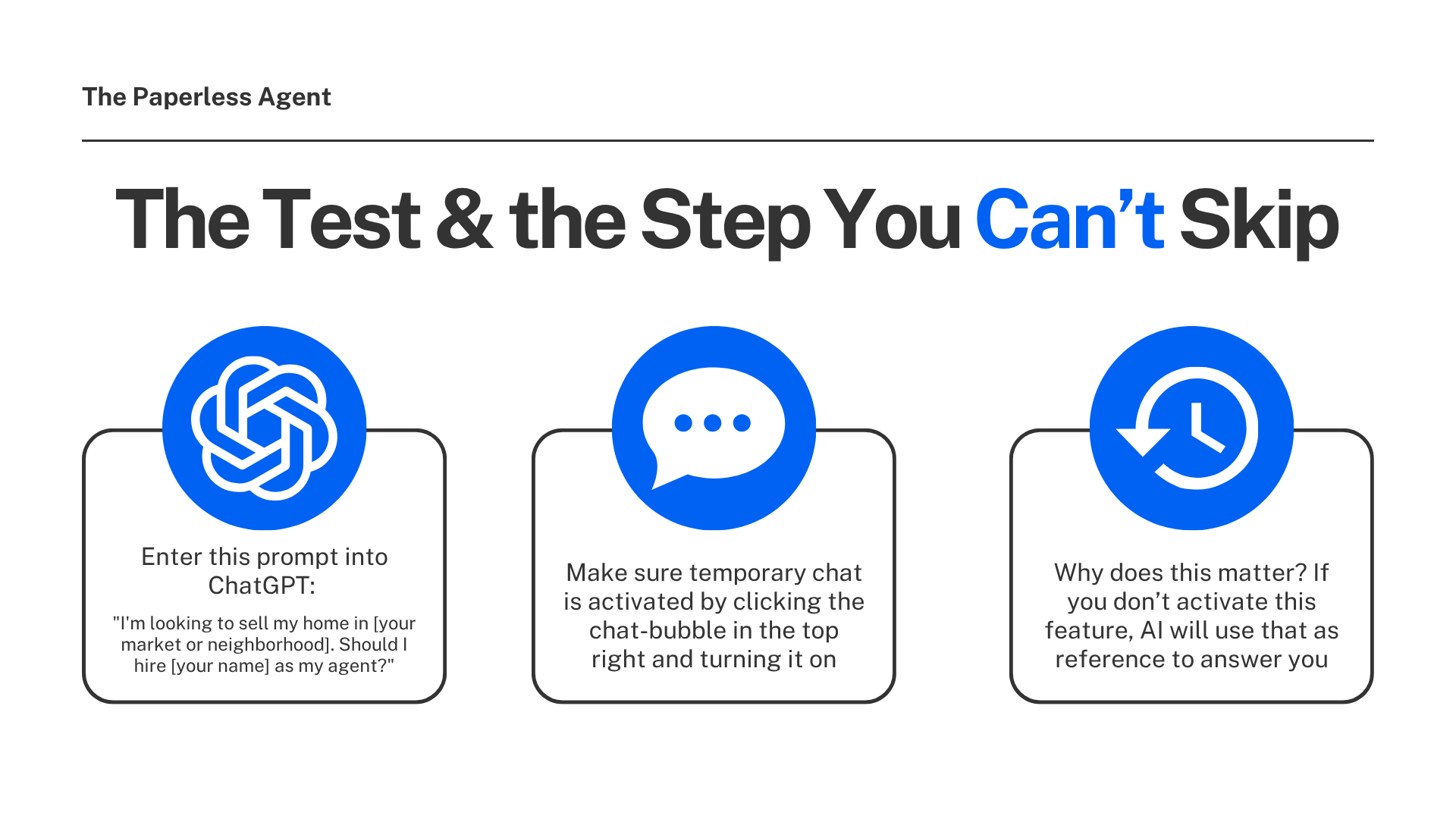
The prompt: Open ChatGPT and type: "I'm looking to sell my home in [your market or neighborhood]. Should I hire [your name] as my agent?"
The step you cannot skip:
Do not run this in your normal ChatGPT account. This is the part that trips most agents up.
With the temporary chat mode on, ChatGPT has nothing to go on from your prior history, it's still using the latest version of the model with access to the internet, just as if it has never spoken to you before.
If you run the test in your regular account, ChatGPT will pull from your memory, your prior chat history, and your prior prompts. It will dress that up as research. One agent ran this test live, got a glowing response, and then asked ChatGPT where it got its information. It said it pulled the answer from his prior conversations. He was grading his own paper without knowing it.
How to access Temporary Chat: OpenAI's Temporary Chat feature works like incognito mode in a browser, then click the chat-bubble icon in the top right, switch it on, and your conversation is not saved to your history. The session starts completely fresh with no memory of your prior interactions.
Once you are in a Temporary Chat, run the prompt with your name and your market. What you see is what a prospect sees.
What You Might Find And What It Means
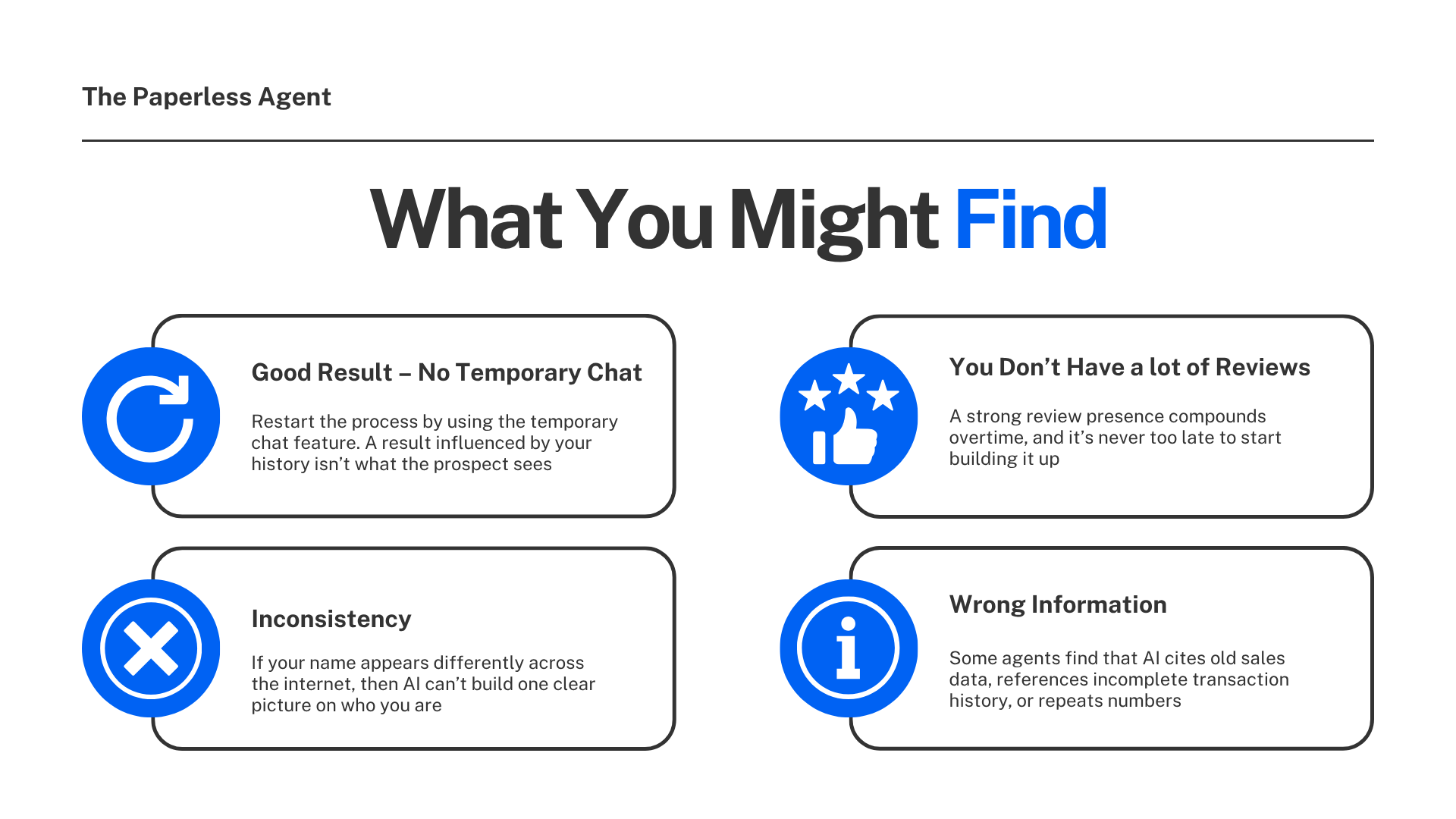
When agents run this test, they tend to land in one of four situations. Here is what each one means.
1. You Got a Good Result But You Did Not Use Temporary Chat
Throw it out. Start over in a Temporary Chat and run the test again. A result influenced by your chat history is not what a prospect sees. It is what ChatGPT says to you specifically because it knows you.
2. Your Name Is Inconsistent Across the Web
One agent could not figure out why AI could not find her. She goes by a nickname, but her license and all of her official records use her legal name. AI could not connect the two and treated them as different people.
If your name appears different ways across the internet — a nickname on some platforms, a designation on some profiles and not others, your brokerage name attached in some places and not others — AI cannot build one clear picture of who you are. It needs consistent signals to make a confident recommendation.
3. You Do Not Have Many Reviews
Reviews matter, but they are one signal among many. The four-step system below addresses this directly. A strong review presence compounds over time, and it is never too late to start building it.
4. AI Is Repeating Wrong Information
Some agents find that ChatGPT is citing old sales data, referencing incomplete transaction history, or repeating numbers pulled from a third-party site that were never accurate to begin with. If that is what you found, the response is not to panic.
The response is to feed better information about yourself into the sources AI relies on most, which is exactly what the four steps below cover.
The 4-Step System for Getting Recommended by AI
This is not a quick trick. You are building an asset. The agents showing up consistently in AI recommendations today are not gaming the system. They built the right information in the right format and AI found it. Once you do that work, it compounds.
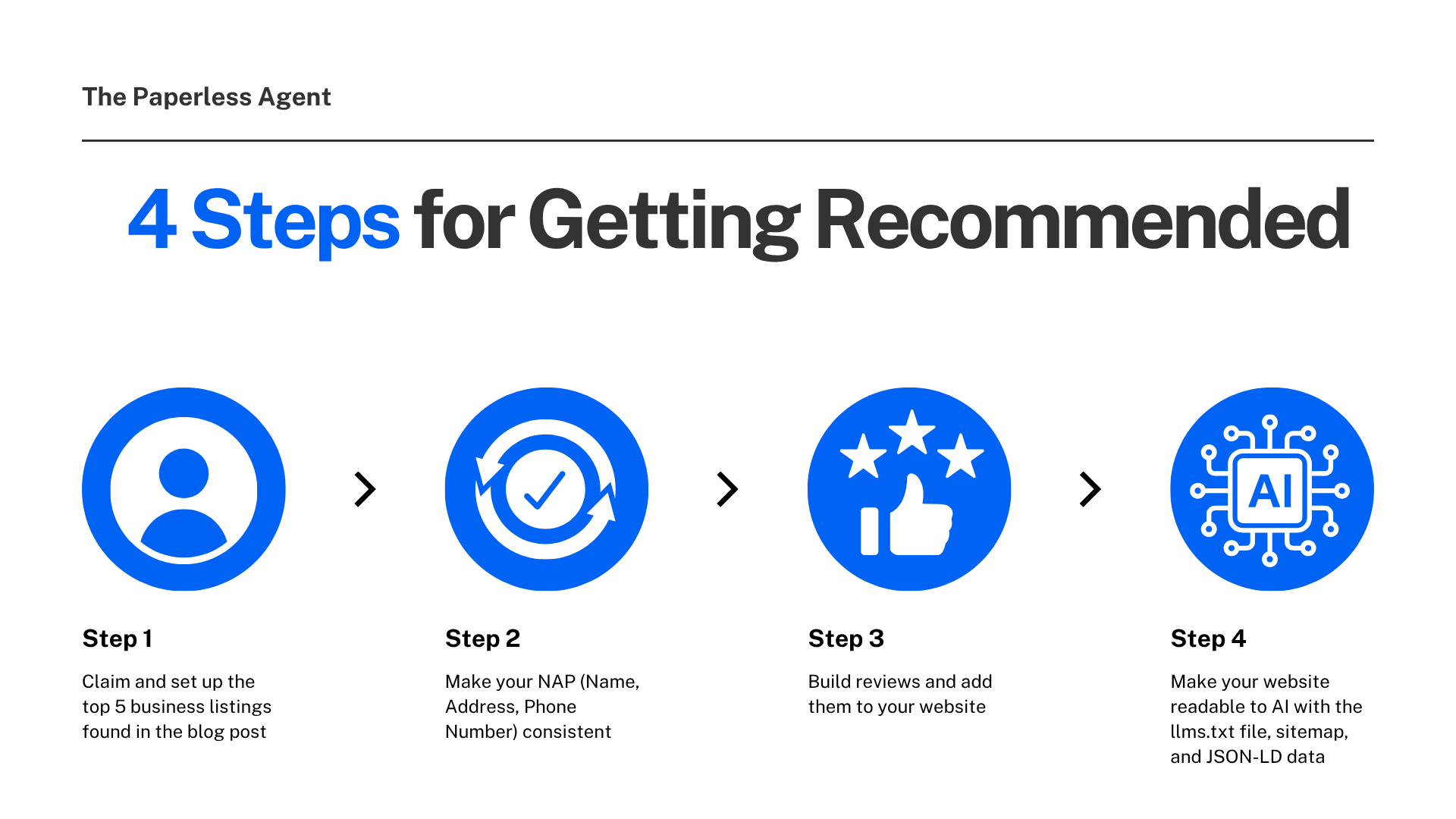
Step 1: Claim and Set Up the Top Five Business Listings
These are the sources AI leans on most for local professional recommendations:
Google Business Profile — Controls how you show up in Google Search, Google Maps, and Google's AI Overviews. The most important listing for local visibility.
Facebook Business Page — Increasingly indexed by AI crawlers and referenced in search results beyond just social reach.
Bing Places for Business — Bing is the primary search engine used by ChatGPT. Your Bing listing is a direct input into ChatGPT's local data.
Apple Business Connect — For every iPhone user on Apple Maps and Siri. Free to claim and widely overlooked.
LinkedIn — Your personal LinkedIn profile, not a business page. LinkedIn consistently appears in the top five Google results for professional name searches and is treated as a trusted directory by AI tools.
All five are free to claim. All five feed AI recommendation systems.
Step 2: Make Your NAP an Exact Match Everywhere
NAP stands for Name, Address, and Phone number. It must be identical across every directory, profile, and platform.
Here is what exact means in practice: the same spelling of your name, the same format for your address including whether there is a comma and whether "Suite" is abbreviated or spelled out, and the same phone number format including whether you use dashes.
A certification on one profile and not another looks like a different entity to AI. A brokerage name attached to your name on some platforms and not others looks like a different person. A suite number formatted differently across listings creates a mismatch AI cannot resolve.
When your NAP is inconsistent, AI cannot reconcile your profiles into one clear identity. Business listings account for 42% of AI citations, and inconsistency across them fragments your authority entirely.
Step 3: Build Publicly Visible Reviews and Aggregate Them on Your Website
Reviews on Google Business Profile, Zillow, Realtor.com, and the major home search sites all matter. But there is a detail worth understanding about AI specifically.
AI reads your website directly, and your website accounts for 44% of AI citations. Reviews on your own website carry the same weight as reviews on third-party platforms in AI's eyes because AI does not discriminate by where the review lives, it weighs the completeness of the source.
Pull your reviews from every platform onto your website. Aggregate them in one place. When AI finds a single source with a comprehensive review history, it tends to cite that source. Your website can be that source.
A few practical notes on building your review base: ask every satisfied client for a review immediately after closing, send them a direct link to the specific platform where you need it most, and distribute reviews across multiple platforms rather than concentrating them in one place.
Step 4: Make Your Website Readable to AI
Your website is the single largest source of AI citations at 44%. Making sure AI can read and understand what is on your site is foundational.
Three technical elements make the biggest difference:
The llms.txt file — A simple text document that tells AI tools who you are, what you do, your markets, your specializations, and your key contact information. It is the most direct way to give AI a clear summary of your site without requiring it to piece together meaning from your navigation and marketing copy.
A sitemap — A structured file that tells AI crawlers exactly which pages exist on your site, how important each one is, and when they were last updated. Without it, AI may crawl your homepage and miss everything else.
JSON-LD structured data — Hidden labels added to your website pages that tell AI precisely what type of information is on each page. Your name, your professional title, your service areas, your credentials. Without these labels, AI has to guess. With them, there is no ambiguity.
All three of these are technical enough that your website provider should handle the implementation. Ask them specifically about llms.txt, sitemap.xml, and JSON-LD or LocalBusiness schema markup.
The Principle Behind All of This
AI rewards a real, consistent body of work across the internet. You cannot shortcut your way into strong recommendations.
The agents showing up in ChatGPT today happened to be building the right information in the right format before most people in the industry knew this was happening. They are not doing anything the rest of the market cannot do. They just started earlier.
Changes to your website and business listings take roughly three to four weeks to show up in AI results. The agents making changes this week are the ones who will see results next month.
What to Do Right Now
Open ChatGPT. Start a Temporary Chat. Run this prompt:
"I'm looking to sell my home in [your market]. Should I hire [your name] as my agent?"
Read what comes back. Check whether the information is accurate. Note what is missing or wrong.
That is your starting point. From there, the four steps above give you a clear sequence for building the digital presence that produces accurate, positive AI recommendations over time.
Frequently Asked Questions
Q: Why do I need to use Temporary Chat for this test? If you run the test in your regular ChatGPT account, ChatGPT pulls from your prior chat history and memory and presents it as research. The result reflects what ChatGPT knows about you from your past interactions, not what a prospect sees when they search your name independently. Temporary Chat strips that history out and shows you what ChatGPT finds when someone who has never used your account searches for you.
Q: What does Temporary Chat do exactly? Temporary Chat works similarly to Incognito Mode in Google Chrome, it creates a session that won't record your history or affect future recommendations, and ChatGPT starts fresh without any of your personalization changes or search history influencing its responses. You access it by clicking the chat-bubble icon in the top right corner of the ChatGPT interface.
Q: What if ChatGPT says nothing about me at all? A result with no information is more common than inaccurate information, and it is fixable. Start with the five business listings in Step 1 of the system above. Google Business Profile and Bing Places are the highest-priority starting points given how directly Bing feeds ChatGPT's local data.
Q: How long does it take for changes to show up in AI results? Based on consistent observation across agents who have gone through this process, meaningful changes take roughly three to four weeks to appear in AI search results. This is not immediate, which is a reason to start now rather than waiting.
Q: My name appears differently across platforms. Which version should I standardize on? Use the name that appears on your real estate license as your standard. That is the name most likely to appear in official records, brokerage sites, and MLS data that all sources AI references. Once you pick your standard, update every platform to match it exactly, including whether you include professional designations and how your brokerage name appears.
Q: Do I need a lot of reviews before AI starts recommending me? Reviews are one signal among many. Agents with a modest review count but strong NAP consistency, a complete website, and active business listings still show up in AI recommendations. Start collecting reviews consistently after every transaction and distribute them across platforms. Volume and recency both matter over time.
Q: What is JSON-LD and do I really need it? JSON-LD is structured data code added to your website pages that labels your information explicitly for AI and search engines with your name, your professional title, your service areas, your credentials. Without it, AI infers meaning from your content and sometimes gets it wrong. With it, AI reads a clear label and knows exactly what it is looking at. Your website provider can implement this for you, and it also improves your traditional Google search visibility at the same time.
Q: Should I run this test on platforms other than ChatGPT? Running it on ChatGPT is the most important starting point because of its scale and because it feeds from Bing's local data, which is a direct window into one of the most widely used AI tools. You can also run a version of this test in Google's AI Overviews by searching your name in Google and reading the AI summary, and in Perplexity by asking a similar question there. The same digital foundation — accurate business listings, consistent NAP, strong website — improves your visibility across all of these platforms simultaneously.
Chris A. Scott is a Real Estate Digital Marketer & AI Strategist at The Paperless Agent where we make AI and real estate technology useful, practical, and profitable.