

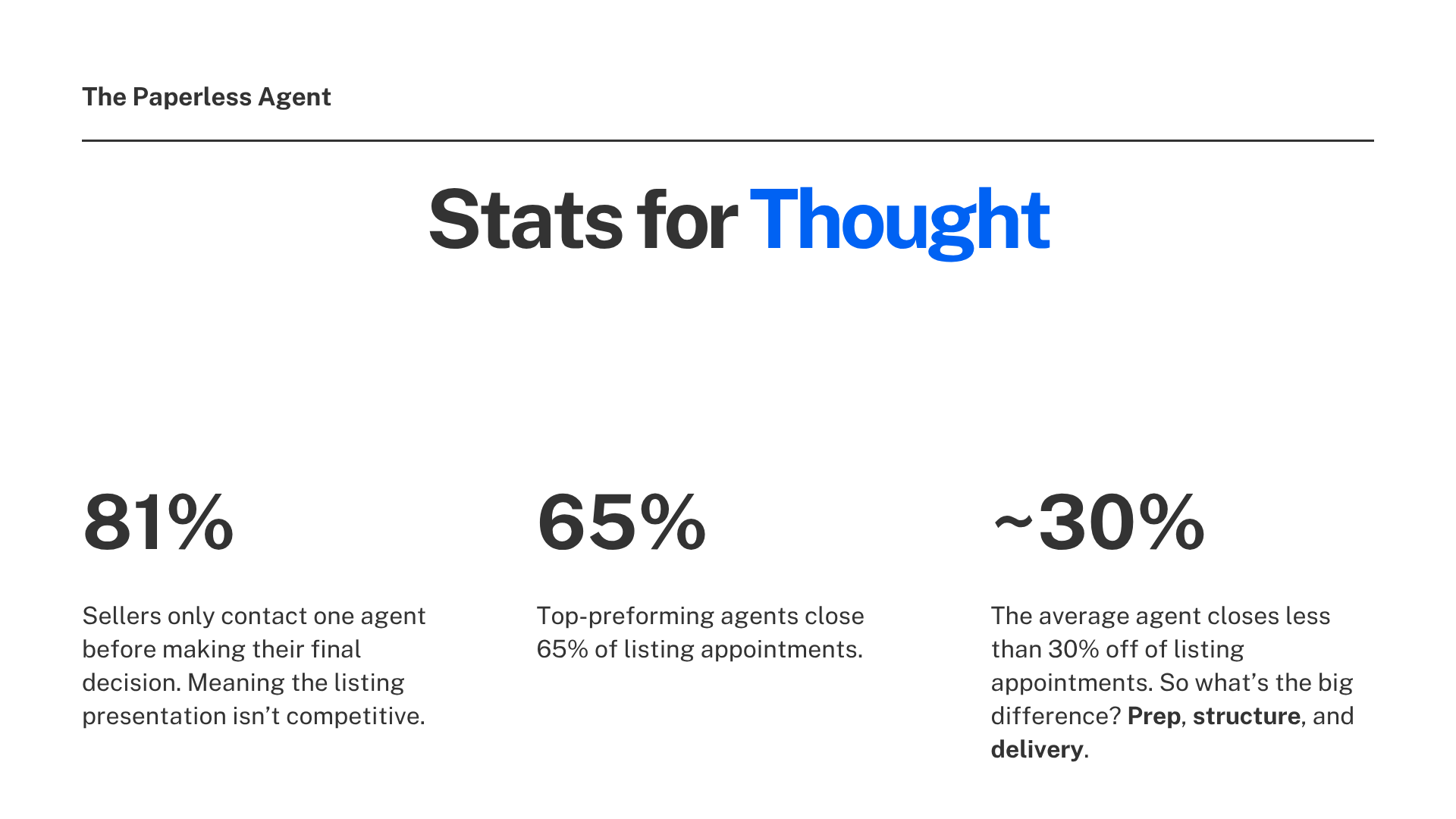
Here is a stat worth sitting with: 81% of sellers contact only one agent before making their decision. That means the listing presentation is rarely a competitive shootout. It is your one shot to convert a warm prospect who already wants to work with someone like you.
And yet most agents still show up the same way they did five years ago. A printed CMA. A generic slide deck. A lot of talking.
The agents who consistently win listings do something different. Top-performing agents close around 65% of listing appointments, while average agents close fewer than 30%. The difference is preparation, structure, and delivery.
This post is about three AI prompts that upgrade all three of those things while cutting your prep time significantly. Each prompt uses the same CMA you are already pulling before every appointment. No extra research. No extra work. Just a smarter way to use what you already have.
Why the Listing Appointment Starts Before You Walk In the Door
Before getting into the prompts, it is worth understanding the strategic framework behind them.
The listing presentation does not start when you walk through the door. It starts 24 to 48 hours earlier with a pre-listing packet. What you send before the appointment, how you document the initial conversation, and how you present pricing data during the meeting all shape the seller's experience of working with you.
A pre-listing packet is a great way to introduce potential clients to you and your brand. It showcases your expertise and the value you bring to the table. It preemptively addresses concerns they might have about selling and sets you up to establish a sense of connection during the listing presentation.
Most agents know they should do all of this. The reason most don't is time. These three prompts solve that problem.
Prompt 1: Turn Your Initial Consultation Into a Professional Word Document
What It Does
Every listing starts with a conversation. You ask questions, the seller shares their situation: their timeline, concerns, and goals. You take mental notes. Maybe you jot something down.
Then you show up to the appointment and try to remember everything they told you.
This prompt takes that initial consultation call and turns it into a clean, professionally formatted Word document you can use for your own notes and send directly to your seller as a "this is what I heard you say" document.
That one gesture tells your seller more about the level of service you provide than anything you could say out loud.
How to Get the Transcript
Getting a transcript of your initial consultation is easier than most agents expect:
iPhone and Android: Both platforms have built-in call recording features that automatically generate a transcript and drop it into your notes. Turn it on before the call and the transcript is waiting for you when you hang up.
Zoom: If you are conducting your consultation by video, Zoom records and transcribes automatically with a Pro account.
Voice memo apps: If you are meeting in person, a simple voice recording app on your phone captures the conversation. Most can be run through a transcription tool like Otter.ai, Descript, or even Google's voice-to-text feature in Docs.
Once you have the transcript, the rest takes about two minutes.
The Prompt
Drop this into Claude along with the transcript from your consultation:
"This is a transcript of a phone call between a real estate agent and their prospective client. The real estate agent is doing an initial consultation with the prospective client on buying or selling a home. Create a professionally formatted document of this call using the report format below."
The prompt then specifies the exact sections you want in the report, each one corresponding to the questions you typically ask during a consultation: how they heard about you, what they are most interested in accomplishing, their timeline, their concerns, their next steps, and so on.
What Claude Produces
Claude generates a downloadable Word document. Clean formatting. Professional layout. The seller's actual words pulled directly from the transcript and organized into the sections you specified.
What makes Claude particularly strong for this task is that it does not just write the information. It designs it. The output is a document you could hand to a seller without any editing.
The document serves two purposes: it becomes your structured set of notes for the appointment, and it becomes a client-ready document you can send over in advance with a note that says: "Here is a summary of our conversation. I wanted to make sure I captured everything correctly before we meet."
That level of follow-through is rare. Sellers remember it.

Prompt 2: Create a Personalized Pre-Listing Packet Email From Your CMA
What a Pre-Listing Packet Actually Does
Sellers receive detailed, personalized information before your meeting, creating a strong first impression and setting you apart from agents who show up empty-handed.
The key word there is personalized. The AI creates content that appears to be individually researched and written for each prospect, including specific property addresses, market comparisons, and relevant selling points. What used to take hours of manual work, analyzing comps, writing personalized content, and formatting professional presentations, now takes minutes.
That is exactly what this prompt delivers.
The Setup
You need two things: the prompt and your CMA. The CMA is the one you are already pulling before every listing appointment. For this workflow, RPR works well because it generates a detailed, data-rich report, but any CMA tool that produces a PDF will work.
Drag and drop the CMA directly into ChatGPT or Claude. Then paste the prompt.
What the Prompt Tells the AI to Do
The prompt instructs the AI that it is an expert real estate agent creating a comprehensive pre-listing packet email. It specifies:
- Who the seller is and the appointment details
- That the AI should use the attached CMA to pull data, not invent it
- The exact structure of the email output
That last point is critical. The structure you specify in the prompt determines the structure of the email. The sections included are:
Subject line — formatted professionally and specific to the property
Opening — a warm, personalized introduction that references the upcoming appointment
Pricing snapshot — pulled directly from your CMA data, specific to this property and this market
Property highlights — specific details about the home drawn from the CMA
Three key selling points — positive, specific notes about the property that set a constructive tone before the appointment
Marketing plan section — an overview of the approach, with a note that the full plan will be reviewed together at the appointment
Marketing proposal section — framing around why the right agent makes a measurable difference to the final sale price and timeline
Closing — a clear next step reinforcing the upcoming appointment
Adding the Marketing Materials
One more element takes this pre-listing email from good to remarkable.
Use a Canva template to create a sample marketing pack that looks like it was already built for this specific property. A graphic that looks like a property webpage. A simulated YouTube video thumbnail. Sample social media ads and posts.
These graphics are easy to update. Upload a photo of the property, drag it into place, and within a few minutes you have a visual that makes the seller feel like marketing has already begun. Drop it into the email below the text content.
Consider creating custom marketing materials using tools like Canva. Include sample marketing pieces that feature the actual property image. This creates the impression that you have already begun marketing their home.
The finished email goes into a Google Doc first so you can review the formatting, make any adjustments, and add the Canva graphic. Then copy and paste the whole thing into your email tool and send it off.
The result is a personalized, data-backed, visually polished pre-listing email that most agents would spend hours building from scratch, done in minutes.

Prompt 3: Turn the Same CMA Into a PowerPoint for the Pricing Conversation
Why This Supplements Rather Than Replaces Your Core Presentation
Something worth noting before getting into this prompt: the goal is not to rebuild your listing presentation from scratch with AI. Your core listing presentation should be mastered and repeatable. The more consistently you deliver it, the more present you can be in the moment with your seller rather than thinking about what comes next.
What AI does well here is handle the one part of every listing appointment that changes with every property: the pricing conversation.
The CMA data is different for every home. The comparables are different. The pricing scenarios are different. The market snapshot is different. Rather than trying to present 24 pages of a CMA report to a seller, you use this prompt to turn that data into a clean, visual presentation built specifically for that property.
The Prompt
"I am a real estate agent. I have a listing appointment with a seller. Create a PowerPoint of the information in this CMA I can use to discuss pricing strategies with my prospective seller."
Attach the same CMA you used for the pre-listing packet email. Fire it off.
What the Output Includes
Claude produces a branded, downloadable PowerPoint file you can open and edit directly in Microsoft PowerPoint. The presentation pulls only from your actual CMA data. Nothing is invented. Here is what the slides include:
Subject property at a glance — the key property details at a glance
What the data says about value — the core pricing story told clearly and concisely
Comparable sales — the comps from your CMA organized for easy discussion
Market snapshot — current conditions in the subject property's area
What buyers are seeing right now — context for how active buyers will evaluate this listing
Three pricing scenarios — conservative, market rate, and aspirational, each with risk factors clearly identified. The aspirational scenario includes a specific note about the risk of price reductions, which is an important conversation to have proactively with sellers
Assessed value trend — historical context for the pricing discussion
Net proceeds at various price points — the number sellers actually care about most
Next steps — a clean close for the pricing conversation
Download the file, open it in PowerPoint, make any edits you want, and you are ready.
AI can reformat CMA findings for a seller's listing presentation, a buyer's offer strategy, or an investor's ROI analysis. The key is using AI as an assistant, not as a decision-maker. Your local market expertise is what ensures pricing accuracy and client trust.
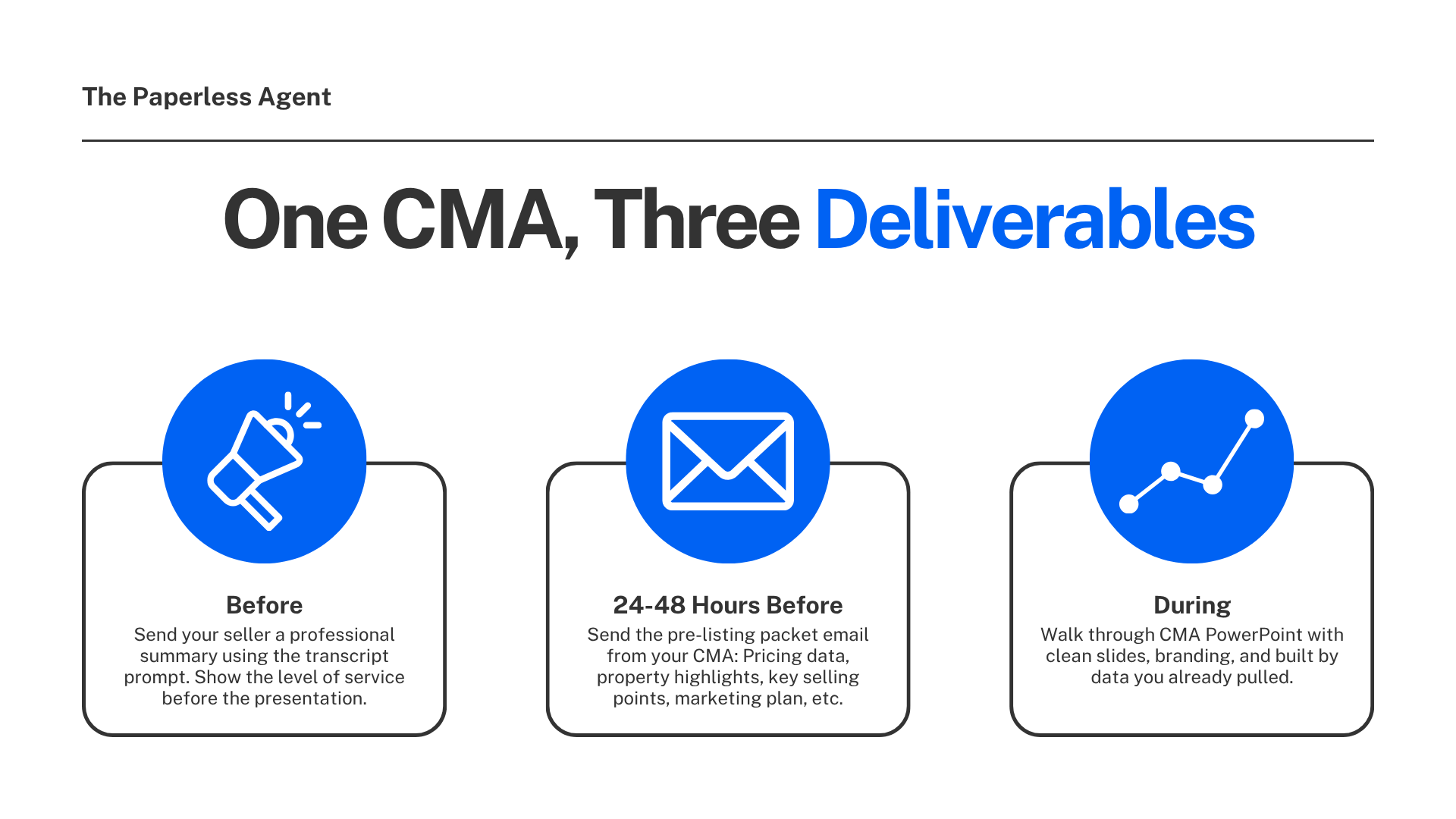
The Full Workflow: One CMA, Three Deliverables
Here is the complete picture of how these three prompts work together across your listing appointment process:
Before the appointment: Use the initial consultation transcript prompt to send your seller a professional summary of your first conversation. Set the tone. Show them what your level of service looks like before they have even seen your presentation.
24 to 48 hours before the appointment: Send the pre-listing packet email built from your CMA. Personalized pricing data, property highlights, key selling points, a marketing plan preview, and sample marketing materials. All of it specific to their home.
At the appointment: Walk through the CMA PowerPoint during the pricing conversation. Clean slides. Branded to your colors. Built from the same data you already pulled. Easy for the seller to follow and understand.
Three separate client touchpoints. Three professional, personalized deliverables. All built from one CMA and three prompts.
What This Does for Your Business
The compounding effect of this workflow is worth understanding clearly.
Most sellers interview one agent. If you are that agent, the question is not whether they will list with someone. It is whether they will list with you. The agents who win those appointments consistently are the ones who combine cutting-edge tech, data-driven decisions, and a laser focus on what sellers really need.
A seller who receives a personalized pre-listing email with their property's specific data before the appointment arrives already knowing you did your homework. A seller who sees a clean, branded CMA presentation during the pricing conversation understands the data because you made it easy to understand. A seller who receives a professional summary of your initial consultation within 24 hours knows you were listening.
That is the experience that wins listings. And with these three prompts, it is an experience you can deliver to every seller, every time, without spending hours on manual preparation.
Frequently Asked Questions
Q: Do I need to use Claude specifically, or will ChatGPT work for these prompts? All three prompts work in both Claude and ChatGPT. The initial consultation document and the CMA PowerPoint are both demonstrated using Claude in the video because Claude tends to produce stronger document formatting and more natural output. The pre-listing packet email is demonstrated using ChatGPT. In practice, either tool handles all three workflows. Try both and use whichever produces the output you prefer.
Q: What CMA tool should I use for these prompts? Any CMA tool that generates a PDF will work. RPR (Realtors Property Resource) is a strong choice because it is free for NAR members and produces detailed, data-rich reports. Cloud CMA, MoxiPresent, and your MLS's built-in CMA tool all work as well. The key is that the PDF contains enough data for the AI to extract a meaningful pricing story.
Q: How do I get a transcript of my initial consultation call? iPhone and Android both have built-in call recording features that generate transcripts automatically. Zoom transcribes video calls with a Pro account. For in-person consultations, a voice recording app like Otter.ai, Descript, or your phone's native voice memo feature captures the conversation and can be run through a transcription tool. The process takes less than two minutes once it is set up.
Q: Does the AI invent information in the pre-listing packet email or the CMA PowerPoint? No, as long as the prompt instructs the AI to pull data exclusively from the attached CMA. Both the pre-listing packet prompt and the CMA PowerPoint prompt specify that the AI should use only the information in the uploaded document. If you want to verify accuracy, review the output against your CMA before sending. In practice, the AI is pulling and organizing, not fabricating.
Q: Can I brand the CMA PowerPoint to my colors? Yes. Claude can apply your brand colors to the PowerPoint if you provide them in your prompt or in your Claude settings. The output is a standard .pptx file you can also open and reformat manually in PowerPoint or Google Slides.
Q: How long does the full workflow take from CMA to three finished deliverables? Roughly 15 to 20 minutes, including the time to review each output, make minor edits, and add the Canva marketing materials graphic to the pre-listing email. The individual prompts each take two to five minutes to process. The time investment is significantly less than building any of these materials manually.
Q: Should I edit the outputs before sending them to clients? Yes, always review before sending. The outputs are typically very close to client-ready, but a quick review lets you add personal touches, verify that the CMA data was pulled accurately, and make any adjustments specific to that seller or property. The goal is to use AI as a starting point and finishing assistant, not as a replacement for your professional judgment.
Q: What is the pre-listing packet prompt structure, and where can I get it? The full prompt specifies the seller name, the appointment details, and the exact email structure you want the AI to produce, including subject line, opening, pricing snapshot, property highlights, selling points, marketing plan, marketing proposal, and closing. The complete prompt is shared in the video linked at the top of this post.
📎 Resources mentioned in this post:
- Claude AI (free): https://claude.ai
- ChatGPT (free): https://chat.openai.com
- RPR for CMA generation (free for NAR members): https://narrpr.com
- Canva for marketing materials templates: https://www.canva.com