

I Built My Own CRM With AI. Here Is Why I Stopped Using It.
I built a working CRM for my own contacts using Claude, with no code written by me and no software purchased. It stored 35 contacts and 521 logged interactions across five tables, and it read my email and messages to fill itself in. The database worked. I stopped using it anyway, and the reason has nothing to do with whether the AI was smart enough.
The reason was waiting.
The idea behind personal software is that AI has collapsed the cost of building a tool down to the cost of describing it. Software used to require either a developer or a vendor. Now a person who can explain what they want in writing can get a working tool back. People have been toying with this for a while, and the argument is that the thing you build for yourself beats the thing you subscribe to, because it fits your business exactly instead of averaging across thirty thousand other users.
Nate's Newsletter put the case plainly in August 2026: "What matters is that now the average person living next to a problem can finally do something about it."
For a real estate agent, that idea lands harder than it does in most industries. You are probably paying for a CRM built for a team of twelve when you are a team of one. You are working around a pipeline stage that does not match how you sell. You are exporting to a spreadsheet because the report you want does not exist. We have written before about what a CRM should be doing for your business, and the gap between that and what most agents tolerate is wide.
I read the idea. I decided to test it against the tool I complain about most.
So I built a CRM.
What I Built: One Spreadsheet, Five Tabs, and a Dashboard
The database is a single Excel file on my Mac with five tabs: Contacts, Companies, Interactions, Followups, and a hidden list of the allowed values for every dropdown. Claude reads it and writes to it directly through a connected folder. Nothing runs in the cloud and nothing is uploaded.
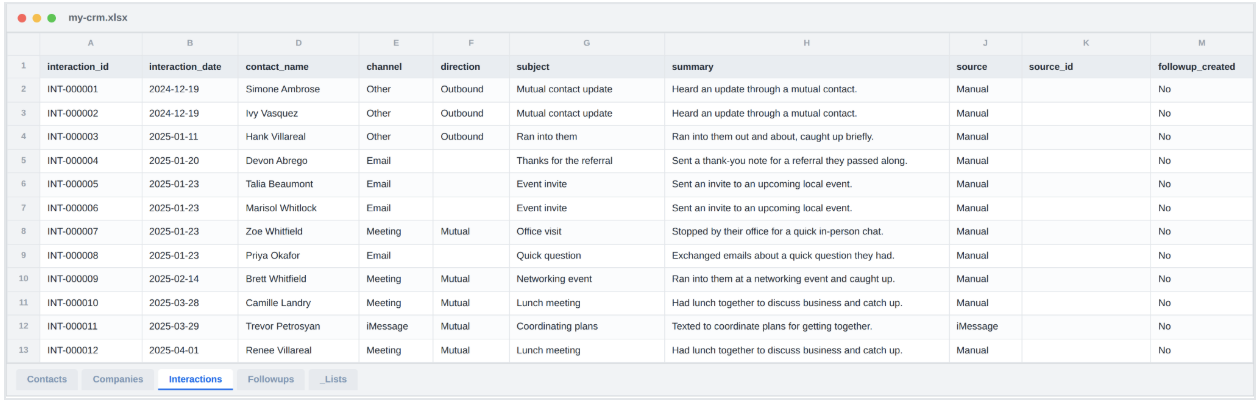
The Contacts tab carries 23 columns. Most are what you would expect. Three of them are the ones that make the whole thing work.
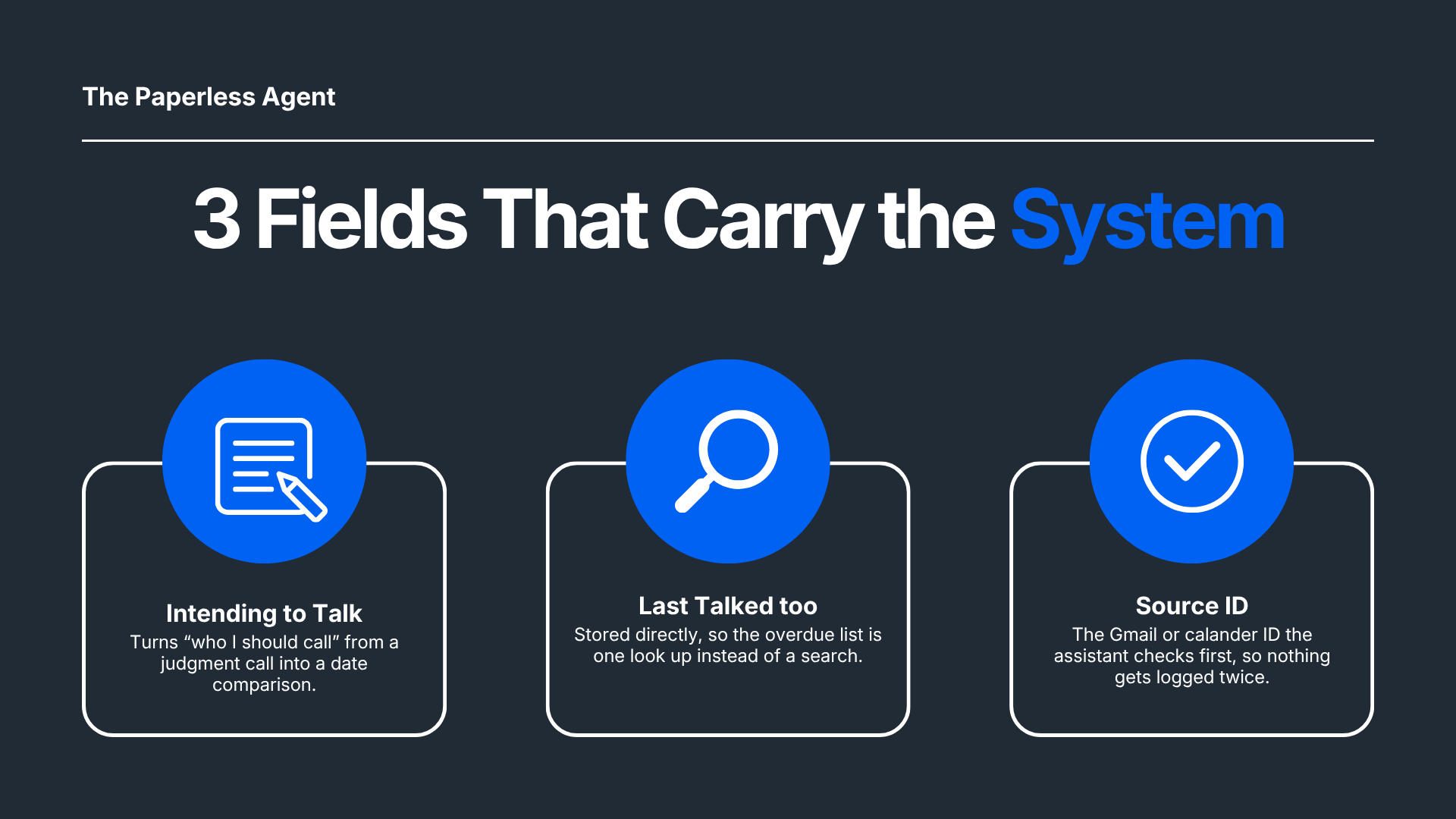
How often I intend to talk to someone. Monthly, quarterly, twice a year, once a year, or as needed. Without that field, "who should I reach out to this week" requires a judgment call every single time you ask. With it, the question becomes a date comparison and the answer is the same on a Monday as it is on a Thursday.
The date I last talked to them, stored on the contact record. That date could be calculated from the interaction history every time. Storing it directly means the overdue list is one quick lookup instead of a search through hundreds of rows.
A source ID on every logged conversation. The Gmail thread ID, the calendar event ID, or a key built from the date and phone number for a text message.
I want to point out why that third one matters. An AI assistant has no memory of what it logged for you last Tuesday. Ask it to catch up your CRM on three separate days and it will cheerfully log the same email thread three times. The rule I gave it is two sentences long:
Before writing any interaction sourced from Gmail, Calendar, or iMessage, check whether that source ID already exists. If it does, skip it.
Writing the Rules Before Asking for the Tool
The most useful thing I did on this project was write down how the system should behave before any data went into it.
Not a prompt. A short document covering what each field holds, what format it takes, what counts as a duplicate, and what has to happen every time a record changes. When I log a conversation, six things need to update in a specific order. Writing that sequence down once meant it happened the same way every session, instead of me re-explaining it and getting a slightly different result each time.
Here is the part worth transferring to whatever you build: state the rule, then state why it exists.
"Store dates in this format" gets followed inconsistently. "Store dates in this format, because otherwise the software reinterprets them and every date silently shifts by a day" gets followed every time, and it survives into the next session. The reason is what makes the rule stick when the assistant hits a situation you did not anticipate.
Fifteen minutes of writing that document was worth more than any prompt I could have typed.
The Interface Was the Easy Part
Once the CRM data was structured, asking for a view of it took one request. Claude produced a page that reads the spreadsheet directly in the browser, sorts every contact by how far past their intended cadence they have drifted, and opens a full history panel on click.
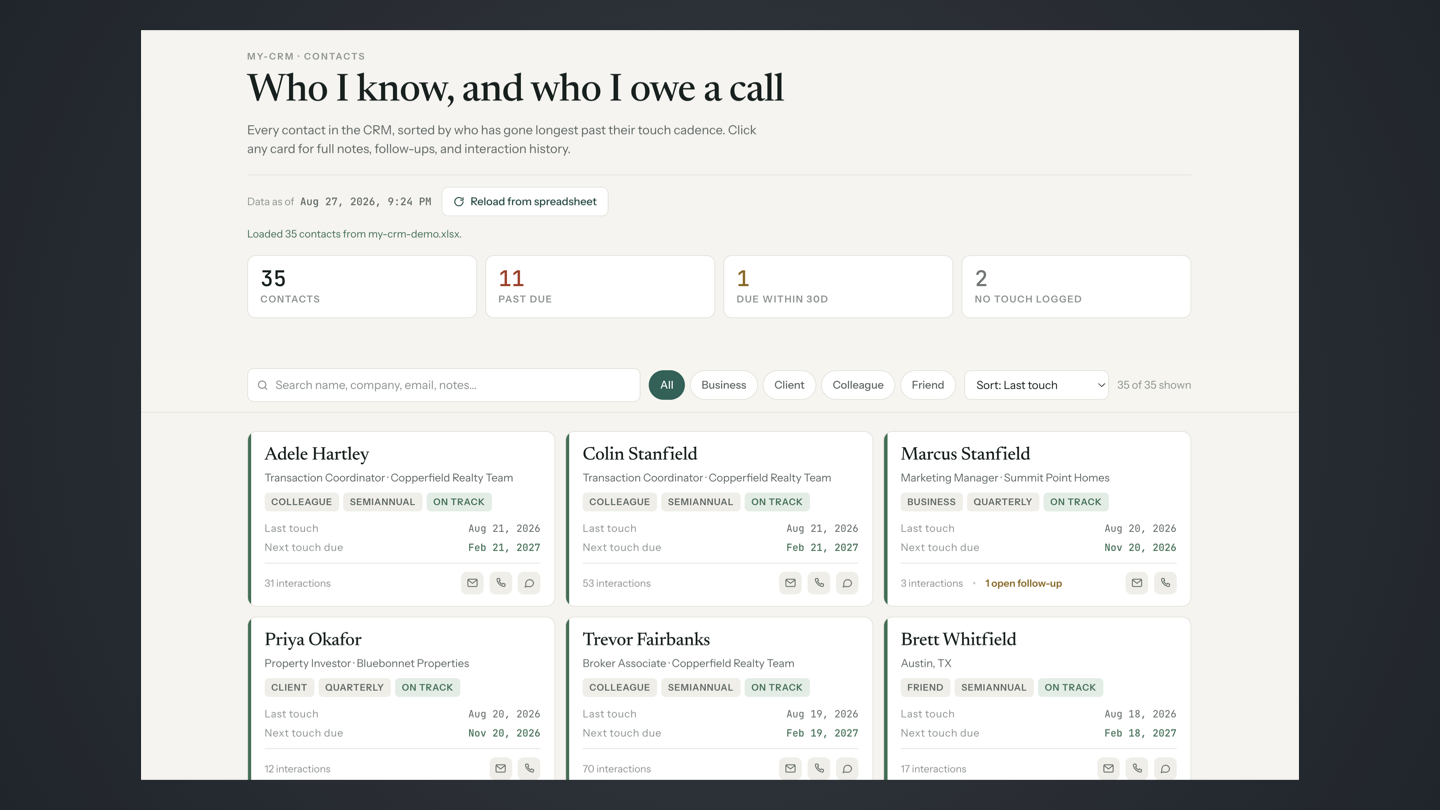
The counters at the top are the entire point of a personal CRM: 35 contacts, 11 past due, 1 due within thirty days, 2 with nothing logged at all. That is a report my actual CRM cannot produce, because my actual CRM does not know how often I intend to talk to anyone.
Click any card and the full record opens.
Background notes, open follow-ups, and every logged interaction in reverse chronological order. Building that view took minutes. The same pattern held when I built a listing marketing agent in Claude: once the inputs are structured, the output layer is close to free.
If the story ended here it would be a very good story.
Where It Broke: The Waiting
Here are the numbers that ended the experiment.
Pulling and processing email or text messages took over a minute, and sometimes closer to two. That covers connecting to the source, reading what came back, matching it against people already in the database, and deciding what was worth logging.
Writing updates back took 30 to 45 seconds. One conversation logged, start to finish.
Neither number is bad for what the work involves. Both are far too long for a tool you reach for during the day.
None of that time belongs to the spreadsheet. The raw file operation, loading the workbook, adding a row, and saving it, measures 0.04 seconds. The gap between that number and 45 seconds is the whole story.
Logging one conversation runs as six steps. The assistant reads the spreadsheet to find the contact, checks the history for a duplicate, writes the new row, updates the last-touch date, recalculates when the next touch is due, and stamps the record. Each of those steps means the model decides what to do, calls a tool, waits for the result, and reads it back. Six of those round trips, stacked, is where the 45 seconds comes from.
.png)
Typing a note into a CRM field takes four seconds and your attention never leaves the task. Waiting 45 seconds for the same note to be logged is long enough that you check your email, and now the call you were about to make has left your head.
I hit that wall repeatedly. Every time, the work got done correctly. Every time, the cost was the thing I was in the middle of.
Batch work was the exception, and the same two minutes that ruined live logging cost nothing there. Asking it to scan six months of email and propose everyone worth adding is a job I was never going to do by hand at all, so the wait was free. The failure showed up when I was sitting there holding a thought.
My Conclusion After Building It
AI can make a great personal tool. The processing time for accessing data and tools, and the time it takes to write updates back to the database, made this one not functional. It was pretty fast. It was not fast enough to use practically for actual work.
That is a narrower complaint than it sounds. The design is sound, the rules are written down, and the data is clean. What the project ran into is a minute here and 45 seconds there, and that is the part most likely to change without me touching anything. This is a version of the real reason AI is not working for most agents: the capability arrives before the fit does.
So I am not abandoning it. I am changing the parts that are slow.
What I Am Doing Next
Three changes, in the order I plan to make them.
Moving the database to Airtable. The spreadsheet on my Mac requires that specific computer to be online, and every read pulls the whole file. Airtable gives me a real database with an API, access from my phone, and the ability to fetch one record instead of all of them. I built the schema to be portable for exactly this reason, so the move is an export and an import rather than a rebuild.
Building skills for Gmail and iMessage processing. Right now, catching up the CRM means explaining the whole procedure again. A skill packages that procedure once so the assistant follows the same steps every time without being walked through them. That removes a chunk of the back and forth that made logging feel slow.
Connecting outbound messaging. The dashboard tells me who I owe a call. It cannot do anything about it. Wiring up email and text so a follow-up goes out from the same place I see the overdue list closes the loop, and it turns the tool from a report into something that finishes the job.
.png)
Have You Built Something Like This?
I want to hear about it. If you have built an app, a tool, or a workflow of your own with AI, tell me what you made, whether you still use it, and where it fell down. The part I am most curious about is the second question. Building the thing turns out to be the easy half.
Reply and let me know what you built.
Frequently Asked Questions
Can I really build a CRM with AI if I cannot code?
Yes. I wrote no code on this project. I described what I wanted in plain English, answered questions about how I work, and reviewed what came back. The AI wrote the scripts, built the spreadsheet, and produced the dashboard. The skill required is being specific about your own process, which turns out to be harder than programming for most people and is the real bottleneck for anyone who tries this.
What made the AI CRM too slow to use?
Writing one update back to the database took 30 to 45 seconds. Pulling and processing email or text messages took over a minute, sometimes closer to two. The spreadsheet is not the cause, since the raw file operation measures 0.04 seconds. The delay comes from the number of steps a single action requires. Logging one conversation means finding the contact, checking for a duplicate, writing the row, updating the last-touch date, recalculating the next touch date, and stamping the record, and each step is a separate request and response.
Is a personal AI tool worth building at all, then?
For the right job, yes. Work you hand off and walk away from is where these tools win, because a two-minute wait costs you nothing and the alternative was leaving the job undone. Scanning a year of email for clients you have gone quiet on is a good example. Work you do in the middle of something else, like logging a call between appointments, is where the same two minutes breaks the task.
Should I replace my real estate CRM with something I build myself?
No, and that is the useful answer after building one. Your transaction CRM handles compliance records, team access, integrations with your MLS and your transaction management, and mobile capture in the field. A personal tool built in a weekend handles none of that. What a personal build is good for is the question your CRM cannot answer, like which relationships have drifted past the cadence you intended for them.
What is the most important design decision in an AI-maintained database?
A way for the assistant to check whether it already did something. An assistant has no recollection of what it logged for you last week, so asking it to update your records across multiple sessions will produce duplicates unless it can verify. Store the ID from the original system, the Gmail thread ID or the calendar event ID, and require a check against it before every write. That one field prevents the failure that would otherwise make the database untrustworthy within a month.
Does the data leave my computer?
In the setup I built, no. The spreadsheet lives on my Mac and the assistant reads and writes it through a connected folder. The dashboard reads the file in the browser. That is a deliberate choice for contact data, and it comes with a real tradeoff: no phone access, no cloud view, and logging requires that specific computer to be online. Moving to Airtable trades some of that privacy for access, which is a decision worth making consciously.
How long did the whole project take?
A weekend, spread across several sessions. Writing down how the system should behave took the longest and was the most valuable part. Building the dashboard took minutes once the data was structured. The initial catch-up, where it scanned my email and messages to propose contacts worth adding, ran while I did other things, which is exactly the pattern that turned out to work best.
Will this get fast enough to use eventually?
That is a question about processing speed rather than about how capable the model is, and speed has been improving steadily. The design I built does not need to change for it to become usable. The database is sound and the rules are written down. If the wait between steps shrinks enough, the same system becomes practical without a rebuild, which is a reasonable argument for designing your tool properly now even if you shelve it for a while.
Chris A. Scott is Real Estate Digital Marketer and AI Strategist at The Paperless Agent.